
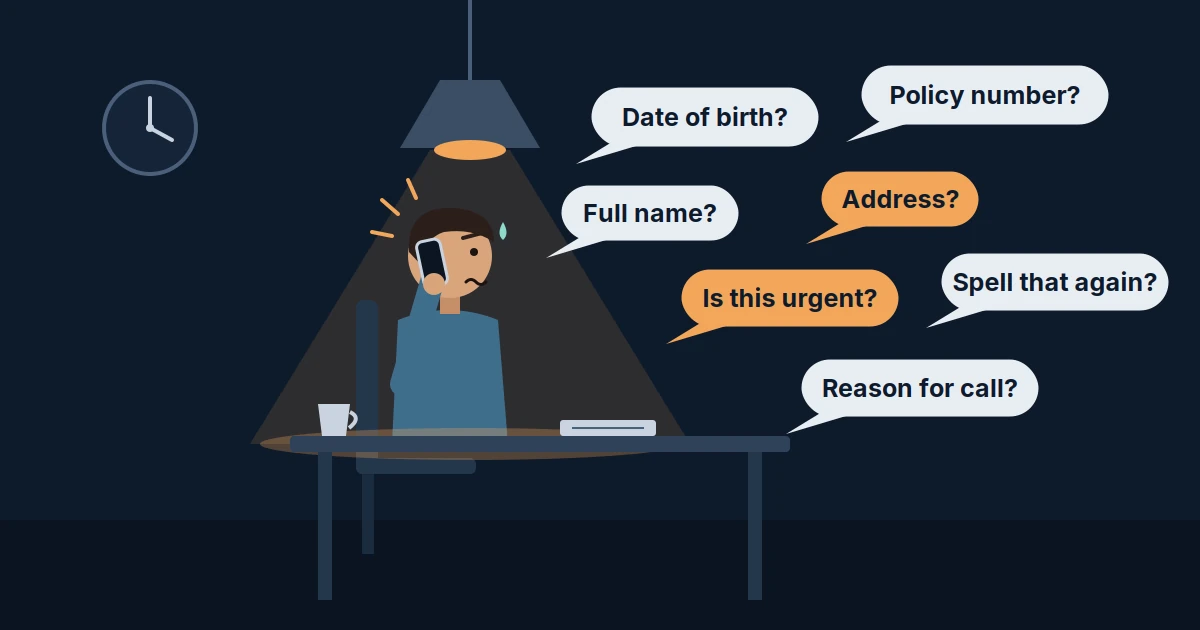
The best AI receptionist intake questions cover six things: who’s calling, how to reach them, what they need, how urgent it is, whether they’re a new or existing client, and when they’re free. Load those first, add a few questions for your industry, and send everything else by follow-up text.
This guide gives you that core list with the reason your team needs each answer. You’ll also get question sets for law firms, dental and medical practices, home services and real estate, a checklist to copy into your setup, and opening scripts you can adapt.
Then it covers what most setups get wrong: asking all of it without making the call feel like an interrogation.
The Core AI Receptionist Intake Questions (and Why Your Team Needs Each)
Every business should load these six questions first. Each one changes what your team does next.
- “Who am I speaking with?” Staff can greet the caller by name, match them to existing records and avoid duplicate leads.
- “What’s the best number to reach you?” If the call drops or gets handed off, this is how the lead survives. The number on caller ID isn’t always the one they answer.
- “What can I help you with today?” The reason for the call decides who handles it. In the caller’s own words, it often answers two or three other questions too.
- “Is this urgent, or can it wait for a scheduled time?” Urgency separates an emergency that needs a person now from a request that can wait for business hours.
- “Have you worked with us before?” Whether they’re new or existing changes the routing. Existing clients go to their attorney, provider or account manager; new callers go to intake, and law firms may need a conflict check.
- “When’s a good time for us to reach you?” The AI can book the slot directly or tell staff exactly when to call back, so nobody plays phone tag.
Save these for a follow-up text or email: full mailing address (unless you’re dispatching someone), insurance member and group numbers, documents, photos, policy numbers, secondary contacts and detailed preferences.
Don’t ask these on the call: Social Security numbers, payment card details (unless your process requires it), full case or medical history, and anything only a licensed professional should ask.
Use one rule for everything else: if staff never look at a field before they call back, take it off the call. If they always need it before calling back, make it required.
Healthcare practices have an extra reason to keep it short. HIPAA’s minimum necessary standard asks covered entities to limit the protected health information they use and request to what the task requires.
AI Receptionist Intake Questions by Industry
Add these on top of the core six. Cut any your team doesn’t use before the callback.
Law firms
Speed matters most here. Prospective clients often call more than one firm, and the first one to respond usually gets the consultation. These questions give an attorney what they need to call back quickly, check for conflicts and judge whether the case fits the firm.
- “Can you tell me a bit about what happened?”
- “When did this take place?”
- “So the attorney can check for conflicts, who’s the other party involved?”
- “Is there a court date or deadline coming up?”
- “Have you spoken with another attorney about this?”
- “How did you hear about us?”
The AI gathers facts and books the consultation. It never gives legal advice or predicts an outcome.
Dental and medical practices
- “Are you a new or existing patient with us?”
- “What’s the reason for your visit?”
- “Are you in any pain or discomfort right now, or is this routine?”
- “Do you have a preferred dentist or provider?”
- “Will you be using insurance? I’ll text you a secure link for the details.”
- “Do mornings or afternoons work better?”
Symptoms that sound urgent should trigger your escalation rule, not more questions.
Home services (HVAC, plumbing, electrical, roofing)
- "What's going on, and where in the home?"
- “Is it an emergency right now, or can it wait for a scheduled visit?”
- “What’s the address for the job?”
- “Is it a home or a business, and do you own or rent?”
- “Anything the technician should know to get in, like a gate code or pets?”
- “What time window works best?”
Real estate teams
- “Are you looking to buy, sell or rent?”
- “Which area or neighborhood are you focused on?”
- “What’s your timeline?”
- “Is there a specific property you’re calling about?”
- “Have you spoken with a lender yet?”
- “When’s a good time for an agent to call you back?”
Copy-and-Paste Intake Checklist
Paste this into your AI receptionist’s setup as a starting point, then add the block that fits your business.
Starter checklist (every business)
Collect on every call:
- Caller’s full name
- Best callback number
- Reason for calling, in the caller’s words
- Urgency: emergency, this week, or just researching
- New or existing client
- Preferred time for a callback or appointment
Before ending the call:
- Read back the name, number and reason for calling
- Tell the caller what happens next and when
Hand off to a person when:
- The caller asks for a person
- It’s an emergency or the caller is distressed
- The question needs professional advice
Add-on: appointment-based businesses (dental, medical, legal consultations, salons, clinics)
- Appointment or service type
- First visit or follow-up
- Preferred provider, if any
- Earliest date that works
- OK to send appointment reminders by text
Add-on: service-area businesses (HVAC, plumbing, electrical, roofing, cleaning)
- Service address and zip code
- Inside your service area? If not, politely decline or refer
- Home or business; owner or renter
- Access notes: gate code, parking, pets
- Preferred arrival window
- OK to text a link for photos of the problem
Ready-to-Use Opening Scripts
Swap in your details and load these as your AI receptionist’s greeting and first few turns. Each one discloses the AI in a single line, opens with a question and lets the caller talk first.
Law firm
“Thanks for calling {Business Name}. I’m the firm’s AI assistant, and I can get your details to an attorney today. Can you tell me a bit about what happened?”
After they explain: “I’m sorry you’re dealing with that. Have you worked with {Business Name} before? So the attorney can check for conflicts, who’s the other party involved? What’s the best number and time for the attorney to call you?”
Dental or medical practice
“Thanks for calling {Business Name}. I’m the practice’s AI assistant, and I can book a visit or get a message to the team. What can I help you with today?”
After they explain: “Are you a new or existing patient with us? Are you in any pain right now, or is this a routine visit? Do mornings or afternoons work better for you?”
Home services
“Thanks for calling {Business Name}. I’m the AI assistant, and I can get a technician scheduled for you. What’s going on?”
After they explain: “Is it an emergency right now, or can it wait for a scheduled visit? What’s the address for the job, so we can send the right team? Anything the technician should know to get in, like a gate code or pets?”
Why the Same Questions Can Feel Like an Interrogation
You now have the list. How the AI asks it decides whether callers finish the call. Most robotic intake calls aren’t caused by the voice. They’re caused by the order and phrasing of the questions. When an AI is set up straight from a web form, it treats the call like a form, and callers notice within seconds.
These five habits make a call feel like questioning rather than help:
- Rapid-fire closed questions. Name, number, address, date of birth, back to back, with no breathing room.
- No acknowledgment. The caller says their basement is flooding and the next line is “What is your zip code?”
- Re-asking what was already said. The caller explains it’s a car accident from last Tuesday, then gets asked for the incident type and date.
- Unexplained sensitive questions. Asking for a date of birth or budget without saying why makes people defensive.
- Form order instead of conversation order. Collecting billing details before the caller has even said what they need.
Each habit is fixable in the intake script. None requires a different AI. Shorter intake also means more callers finish: moving five fields to a secure link can be the difference between a complete lead and a half-captured one.
8 Ways to Make AI Intake Questions Sound Natural
Conversational intake isn’t about making the AI chatty. It’s about asking the same questions in the order and tone a skilled receptionist would.
1. Let the caller tell their story first
Open with one open-ended question, then stop talking. Most callers volunteer half your intake fields in their first 30 seconds: what happened, when, and how urgent it feels.
Try: “Thanks for calling. What can I help you with today?”
2. Pull details from what they already said
Set your AI to fill intake fields from the caller’s opening, then ask only for what’s missing. Nothing feels more like an interrogation than being asked something you just answered.
Try: “You mentioned the accident was last Tuesday. Was anyone hurt?” instead of “What date did the incident occur?”
3. Acknowledge before you ask
A short reflection shows the caller they were heard. It also buys a natural pause before the next question.
Try: “That sounds stressful, let’s get someone out to you. What’s the address?”
4. Ask one thing at a time
Stacked questions (“What’s your name, number and email?”) force callers to remember a list. They answer one and forget the rest. One question per turn keeps answers clean and transcripts accurate.
5. Say why you’re asking
Purpose framing turns a demand into a favor. Use it before anything sensitive: date of birth, address, budget, or details of a legal matter.
Try: “So the attorney can check for any conflicts, who’s the other party involved?”
6. Use soft transitions
Lead-ins like “and” and “just so I have it” make information-gathering sound like part of the same conversation, not a new form.
Try: “And the best number to reach you is…?”
7. Confirm with a read-back, not a re-ask
Read back names, numbers, dates and addresses once, near the end. A read-back catches errors without making the caller repeat themselves.
Try: “Let me make sure I have this right: Maria Lopez, 555-0142, Thursday after 3 p.m. Is that correct?”
8. Move the paperwork to a follow-up text
If a field isn’t needed before the callback, don’t collect it by voice. Tell the caller what’s coming so the text doesn’t surprise them.
Try: “I’ll text you a secure link for your insurance details, so you don’t have to read them out now.”
Before and After: The Same Intake Call, Rewritten
Here’s an evening call to a personal injury firm, scripted two ways. Both versions collect the same details: what happened, when, the other party, any deadline, a name and a callback number. Only one makes the caller feel heard.
Before: the form read aloud
AI: Please state the nature of your legal matter.
Caller: I was rear-ended on the highway last Friday. My neck still hurts.
AI: What type of incident was it? What date did it occur?
AI: Name of the opposing party.
AI: Are there any pending court dates?
AI: State your name. State your phone number.
AI: Your information has been recorded. Goodbye.
After: conversational intake
AI: Thanks for calling Harper & Cole. What happened? (open question)
Caller: I was rear-ended on the highway last Friday. My neck still hurts.
AI: I’m sorry, that sounds painful. Have you seen a doctor since Friday? (acknowledge, and pull the date and incident type from what they said)
AI: So the attorney can check for conflicts, do you know the other driver’s name or insurer? (say why)
AI: Has an insurance company or anyone else asked you for a statement or a decision yet? (one plain question)
AI: And who am I speaking with? … And the best number for the attorney to reach you? (soft transition)
AI: Let me read that back: Sam Ortiz, 555-0177, rear-end collision last Friday, neck pain, other driver’s insurer is Allied. An attorney will call you tomorrow morning. Does that work? (read-back + next step)
The conversational call takes about the same time. It gathers the same facts, adds context the attorney will use (medical care, insurer contact), and ends with a clear next step. It also never offers legal advice; the AI’s job is to collect facts and book the consultation.
When the AI Should Stop Asking and Hand Off
A natural intake also knows when to stop. Set clear rules so your AI voice agent hands the call to a person instead of pushing through the script:
- The caller asks for a person.
- The caller is distressed, angry or describing an emergency.
- The question needs professional judgment, such as legal or medical advice, pricing exceptions or complaints.
- The AI has misunderstood the same answer twice.
- The call falls outside the call types you’ve approved.
When it hands off, the transfer should carry the details already collected and the reason for escalation. The caller should never have to start over. Human oversight of AI is a core idea in the NIST AI Risk Management Framework, and it applies to phone intake too.
How AI Answering Handles Intake
AI Answering is built for exactly this kind of call. Its AI voice agents answer 24/7 and run the intake questions you choose. They book appointments straight into your calendar and route calls by caller type or urgency. When a call needs a person, it escalates to your team with the conversation’s context attached.
After each call, your team gets a transcript and an AI-generated summary, with contact details updated in your CRM and alerts by SMS or email. Calls can run in English or Spanish, and the platform is SOC 2 Type II and HIPAA compliant. It’s used by law firms, dental and medical practices, home services companies and real estate teams.
Ready to hear a call that doesn’t sound like an interrogation? Start your free trial or see how AI Answering works.