
Automatically Update Contacts After Every Call.
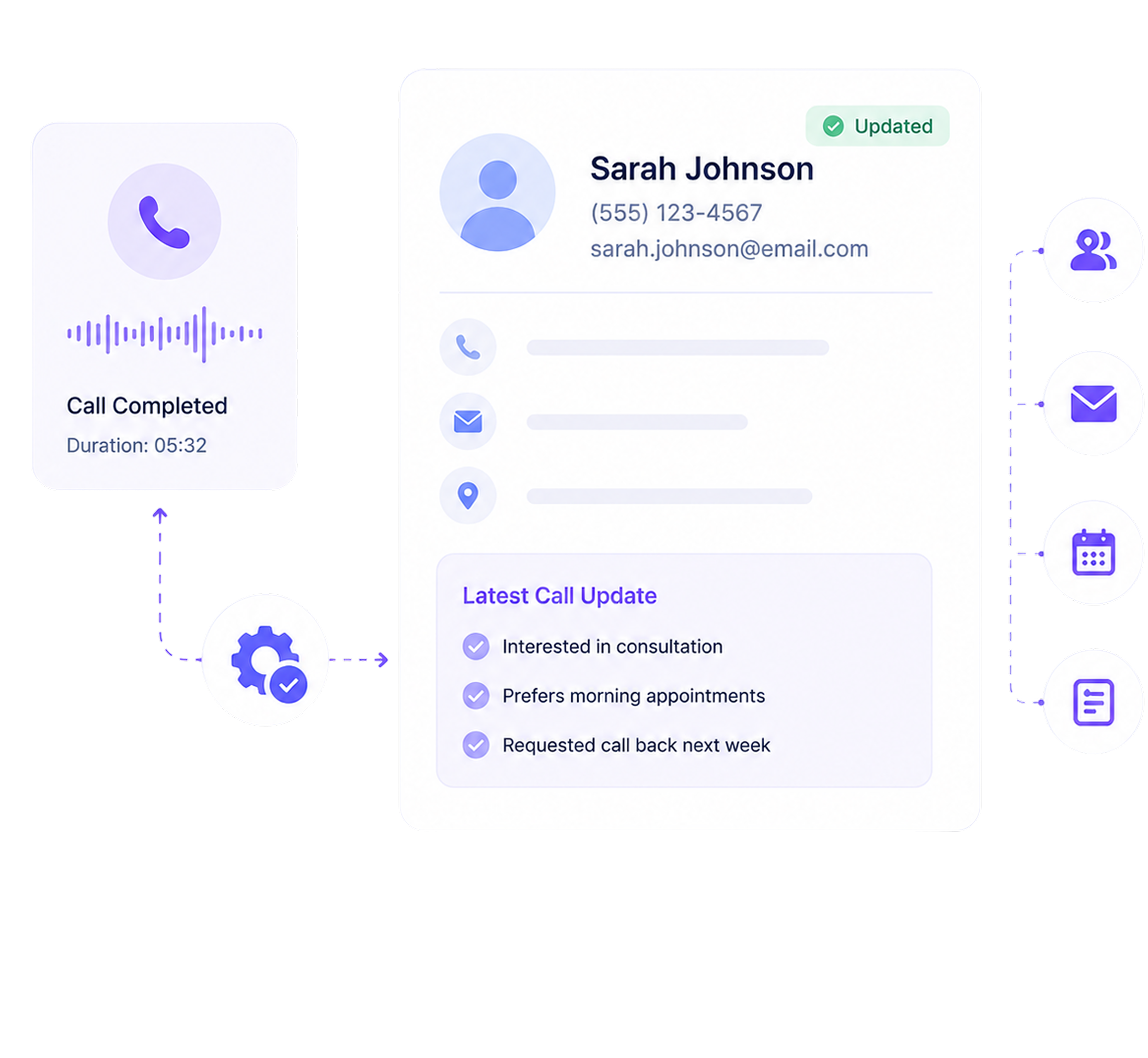
AI Answering combines contact management software with automatic caller record updates after every call. When your AI agent handles a call, caller information is captured and stored automatically. New callers are added as contacts, while returning callers have their existing records updated instantly, with no manual data entry required.
- 1 Month Free Trial
- Built for client-facing teams
What Happens When Contact Records Depend on Manual Entry
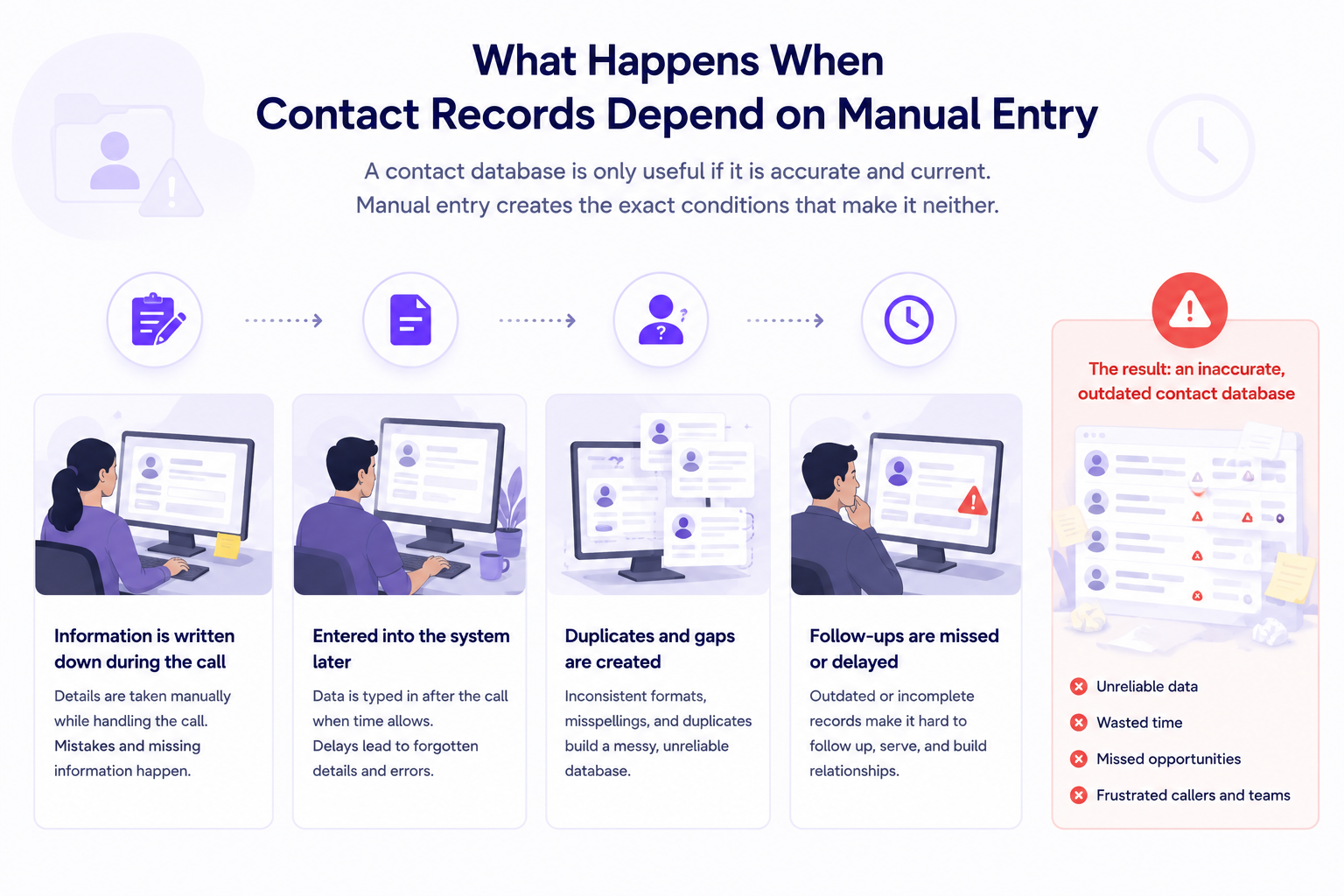
A contact database is only useful if it is accurate and current. Manual entry creates the exact conditions that make it neither.
A lead calls during a high-volume period. The call gets handled. By the end of day, nothing was entered. That caller exists in someone's memory, not your database.
Old phone numbers, outdated context, missed updates from the second and third call. The record exists, but the relationship it describes is months behind.
One logs a full name and company. Another logs just a number. A third skips the email. What gets captured depends on who took the call and how much time they had.
Without a linked record, every call starts from zero. Context from previous intake, appointments, and conversations is lost.
When your team is spending time chasing down caller details, cross-referencing notes, or realizing a lead was never logged at all, AI Answering eliminates all of that. Every caller captured, every record updated automatically, so your database reflects what is actually happening.
How Contact Management Software Creates and Updates Records After Every Call
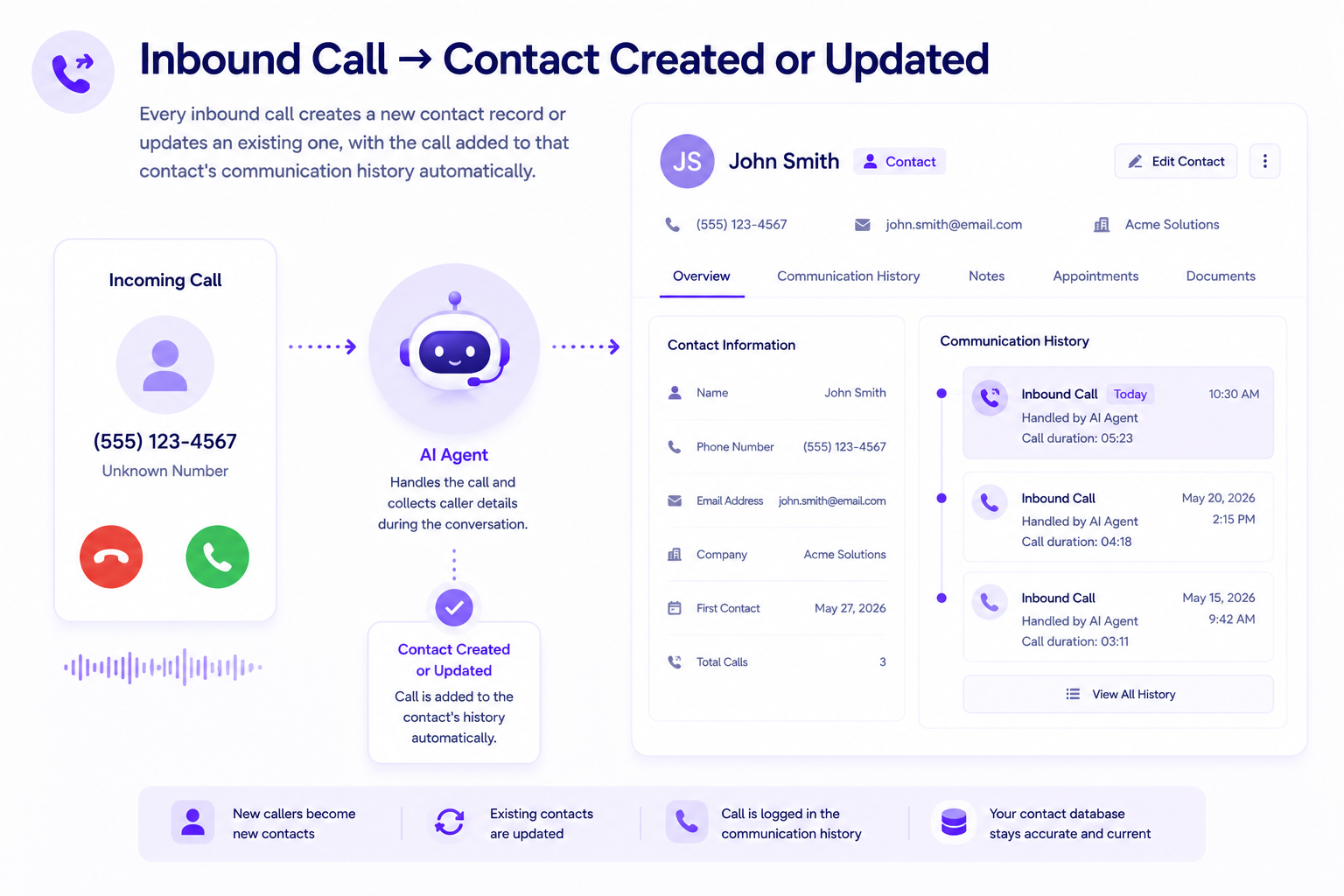
Contact updates happen as a direct result of calls being handled. No separate workflow, no manual trigger for your team.
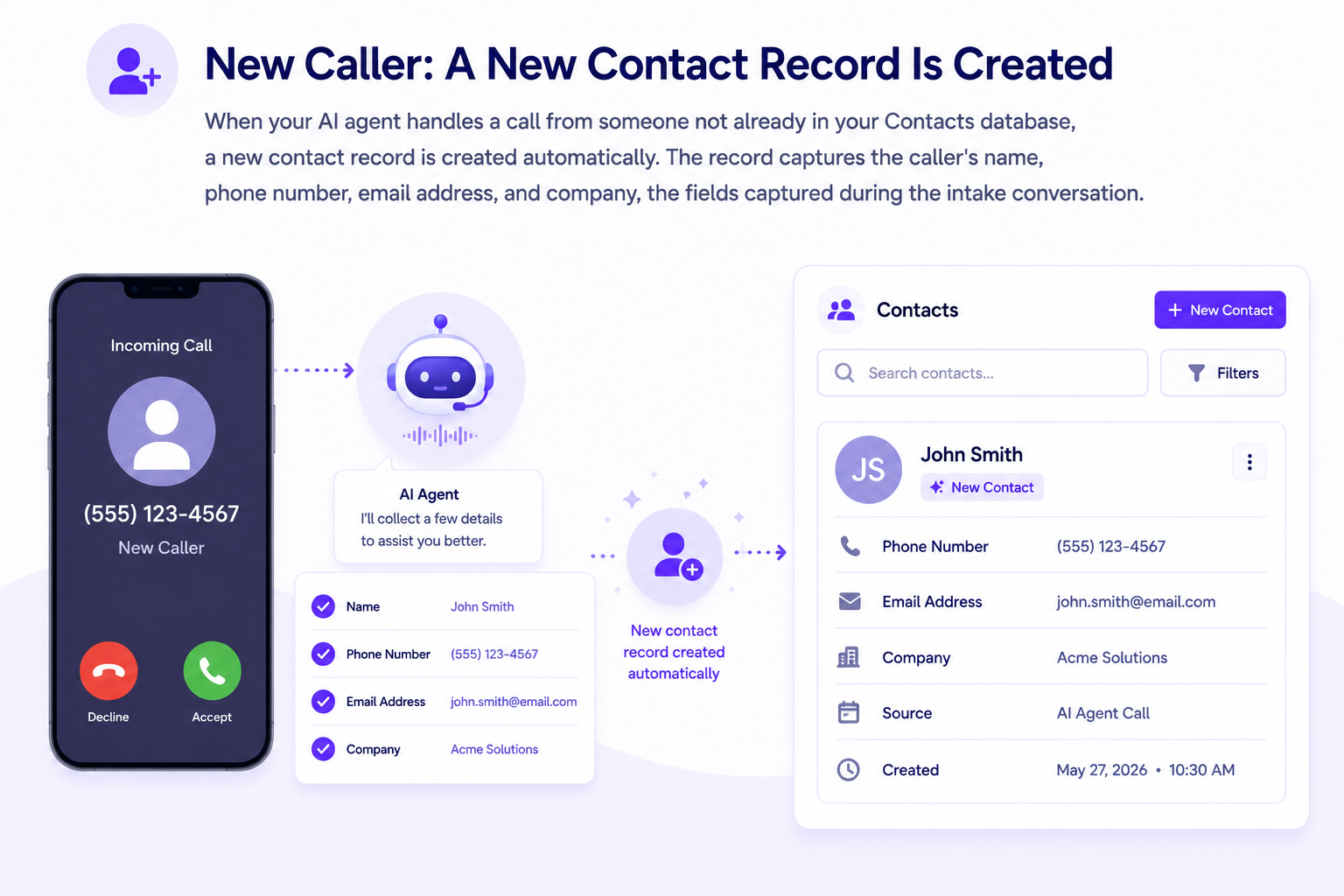
Both happen automatically. Your team does not initiate either process. The contact database stays current as a byproduct of calls being handled.
Every Caller. Every Detail. Always Up to Date.
The Contacts dashboard gives call centers and client-facing teams one place to view, search, and manage every caller record in the database. No spreadsheets or separate CRM login are required for platform contacts.
- Caller name, contact details, and email
- Case type, practice area, and urgency level
- Description of the legal matter
- Additional fields configured per practice area: personal injury, immigration, family law, employment law, workers' compensation, criminal defense, corporate and business law, and more
- Patient name, contact details, and new or existing status
- Reason for call or appointment request
- Referral paperwork and consent form facilitation where applicable
- Additional fields configured for your specific practice type
Three Ways to Build and Maintain Your Contacts Database
Whether you are starting fresh, migrating an existing list, or connecting a CRM, there are three confirmed ways to get contacts into AI Answering.
Add individual contacts manually when needed, without importing a full list. Accessible directly from the Add Contacts panel in your Contacts dashboard.
Upload your existing contact list using the platform's CSV template to ensure your file is formatted correctly before import. Once uploaded, each imported contact is tagged with an "Upload" source label in your dashboard so your team knows where the record came from.
Connect your CRM to sync contacts directly with AI Answering and keep records aligned without duplicate entry. When active, new or updated contacts flow back into your CRM automatically and appear with a "CRM" label in your dashboard.
Syncs Directly With the Tools You Use
Connect your existing CRM and keep both systems current automatically. No double entry, no manual syncing, no developer access required.




Contact Records Stay Connected to the Full Call Workflow
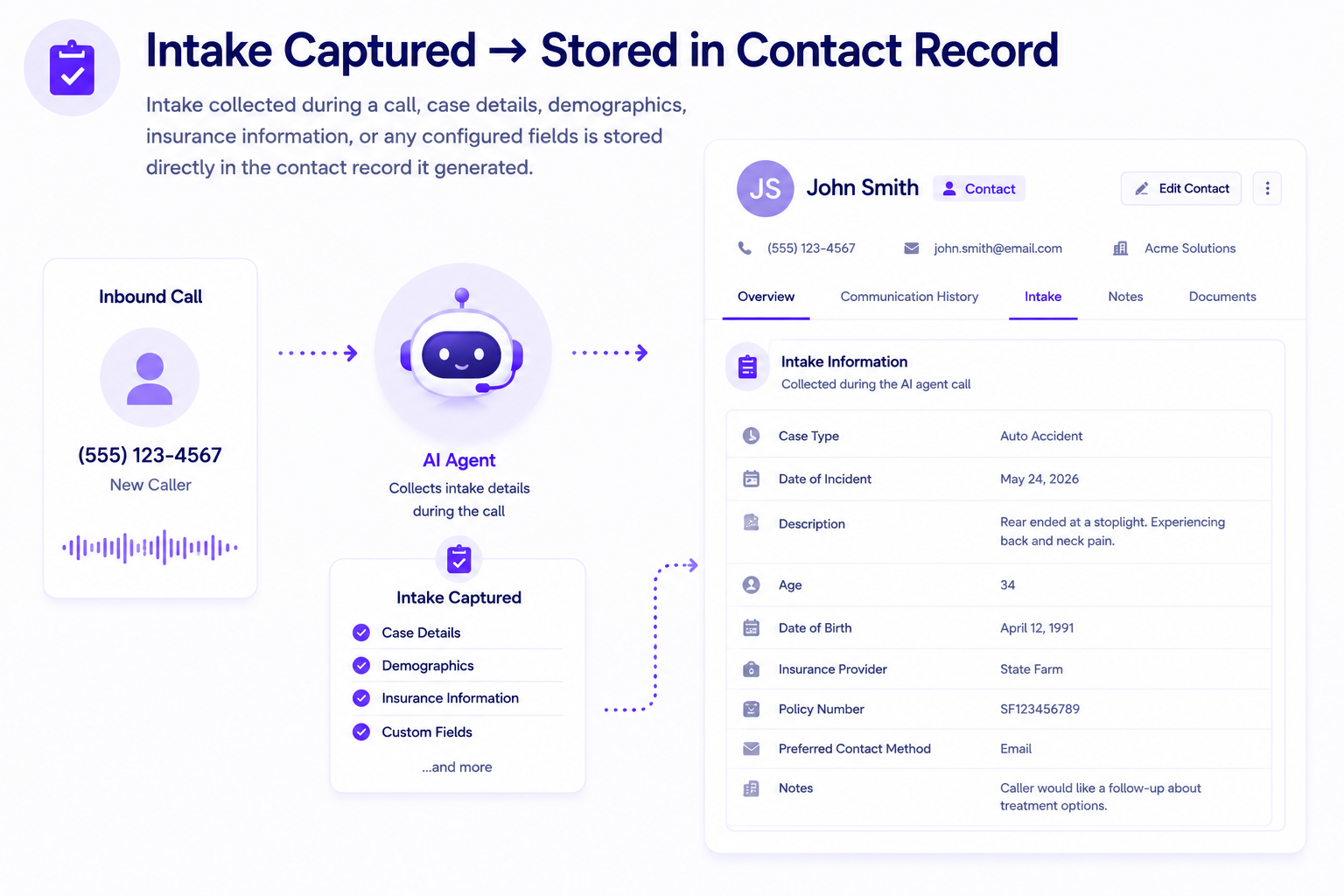
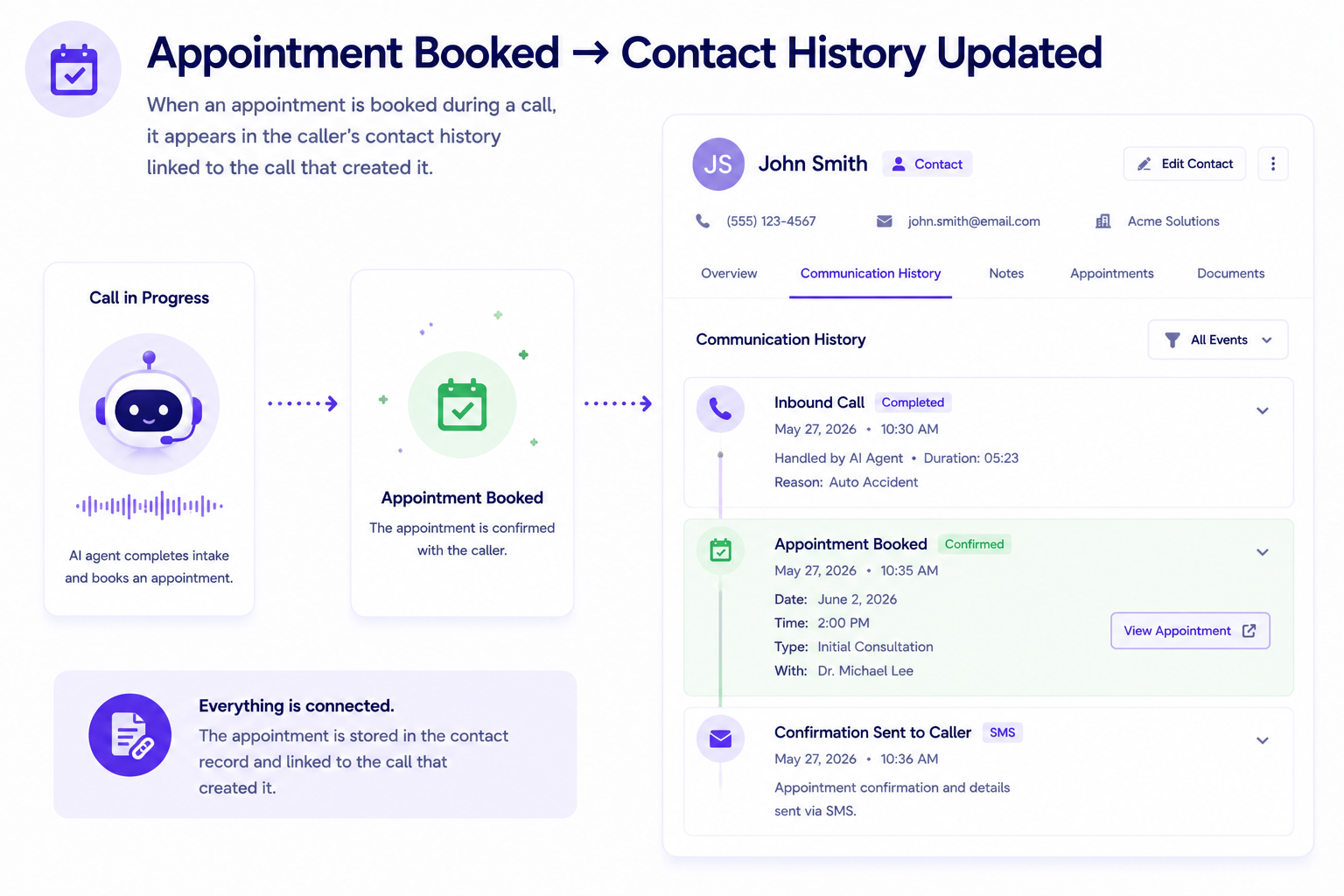
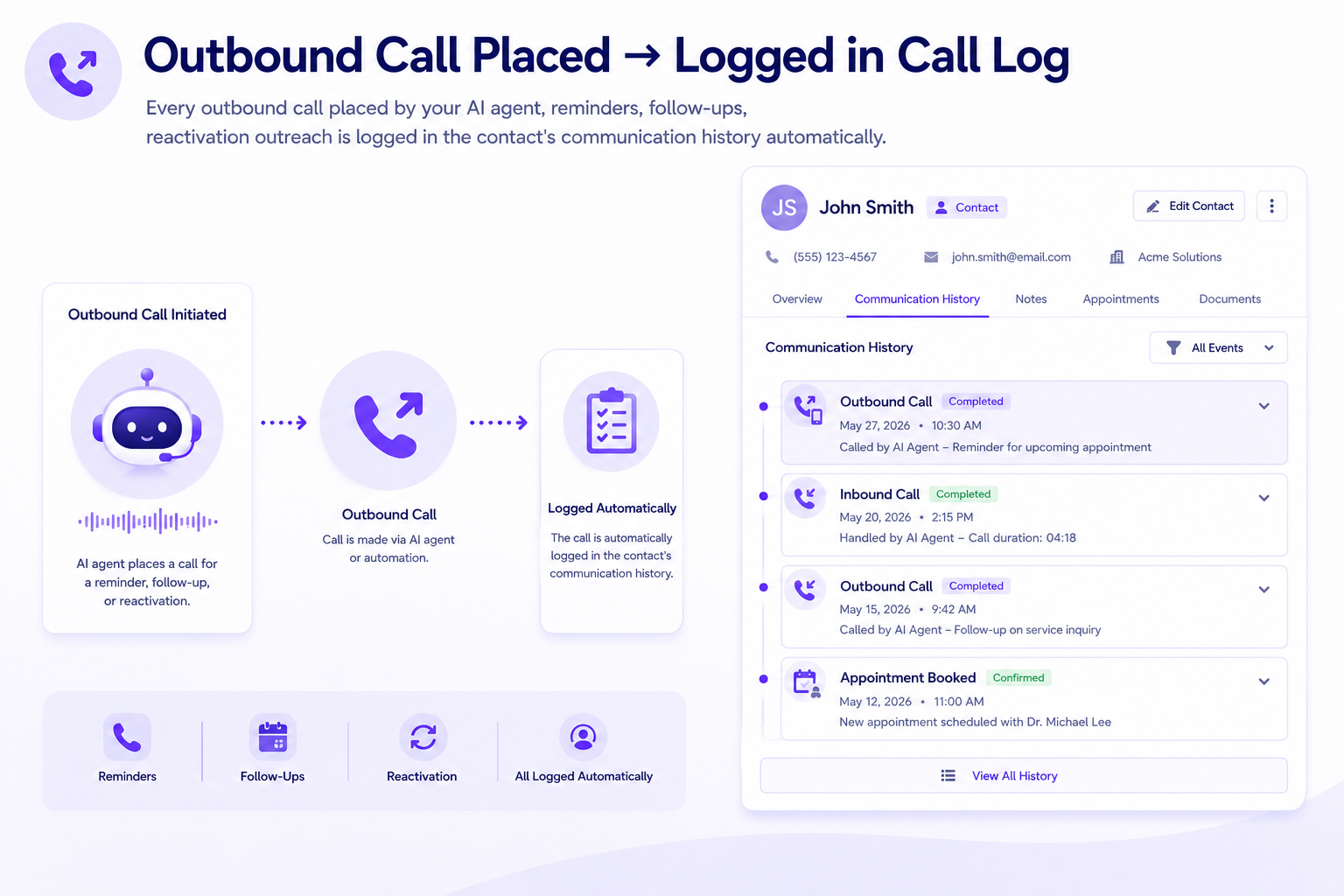
Contact records in AI Answering do not exist as a separate database. They connect directly to what happened on every call, what was captured during intake, and what appointments were booked.

Contact Data Stored Securely. Accessed by Role.
Contact records contain sensitive caller information. AI Answering stores and controls access to all contact data in accordance with the platform's security standards.
Trusted by Teams That Need Their Contact Database to Stay Current

Your Contact Database Should Update Itself. Let's Show You How.
See how AI Answering creates and updates contact records after every call, and how the Contacts dashboard keeps your team organized without manual data entry.
1 month free trial.