
AI Inbound Calling That Handles Every Call From Ring to Outcome
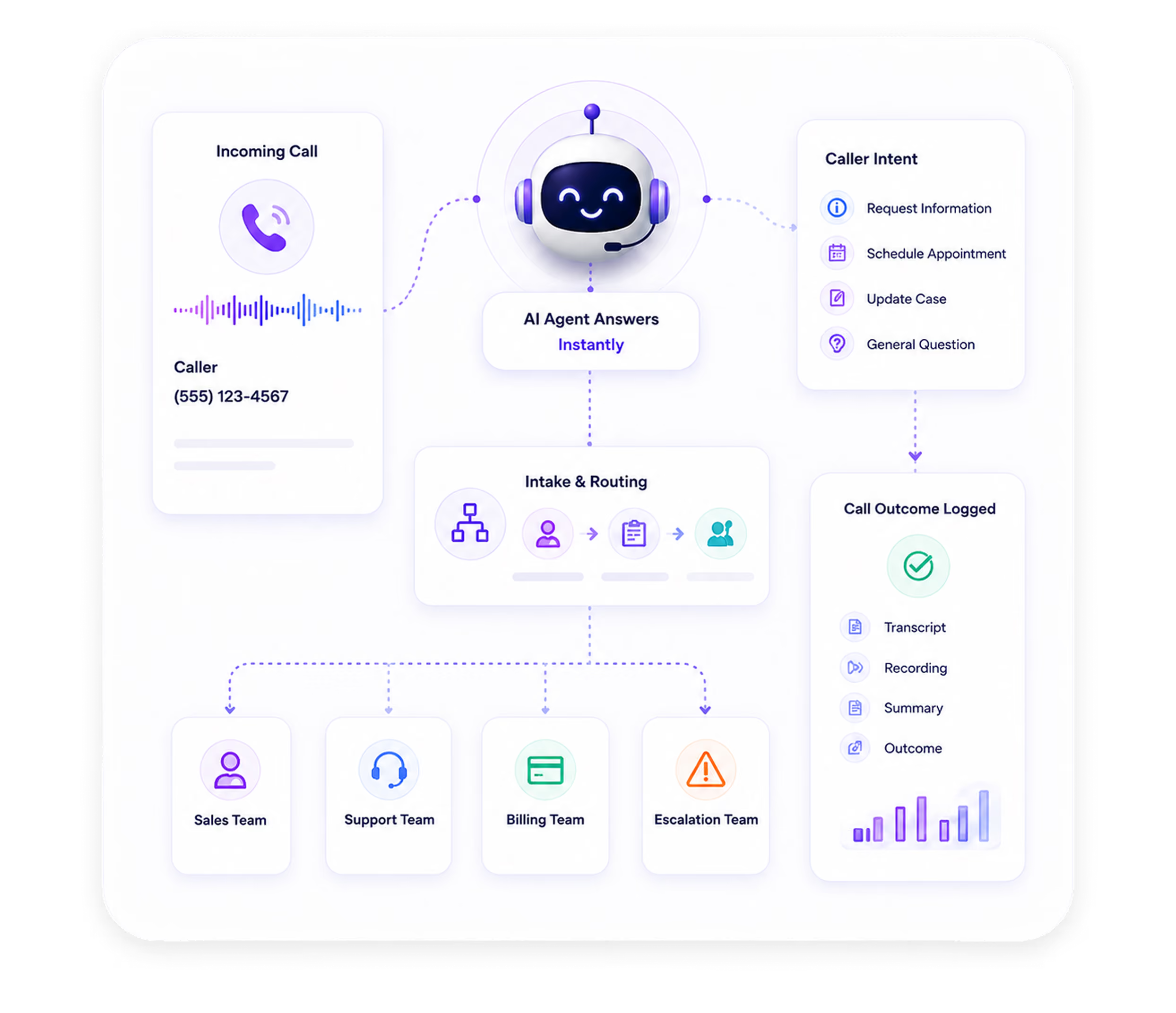
AI Answering picks up every call the moment it rings: day, night, weekend, or holiday. Your AI agent greets the caller, understands why they're calling, collects what your team needs, and routes the call based on your rules. The whole conversation is logged before your team sees a single notification.
- 1 Month Free Trial*
How AI + Human Works. From First Ring to Follow-Up.
From the moment a call comes in, your AI agent handles the entire conversation. Here is exactly what that looks like.
The Call Comes In
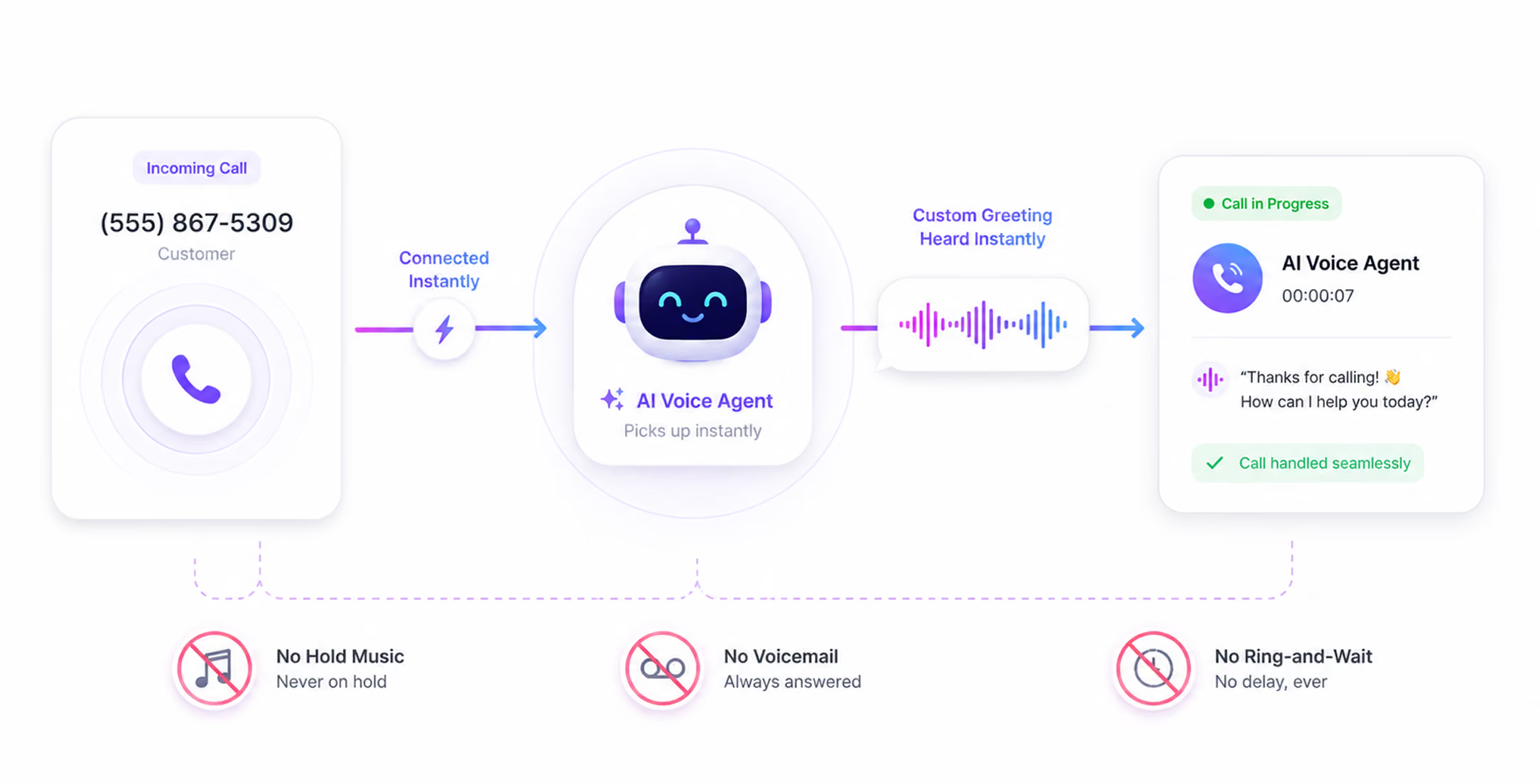
Your AI agent picks up instantly. No hold music. No voicemail. No ring-and-wait. The caller hears your custom greeting the moment the call connects.
The AI Identifies Why They're Calling
The AI agent listens and recognizes the caller's intent: new client inquiry, existing client question, appointment request, urgent matter, or something else. Routing begins here, before the conversation goes further.
Learn more →.avif)
The Conversation Happens
Your AI agent conducts the call in natural, conversational language. It follows your configured call script, asks the right questions for the call type, handles common FAQs without escalating, and guides the caller through the next step — intake, scheduling, or a direct transfer.
.avif)
The Call Is Routed or Resolved
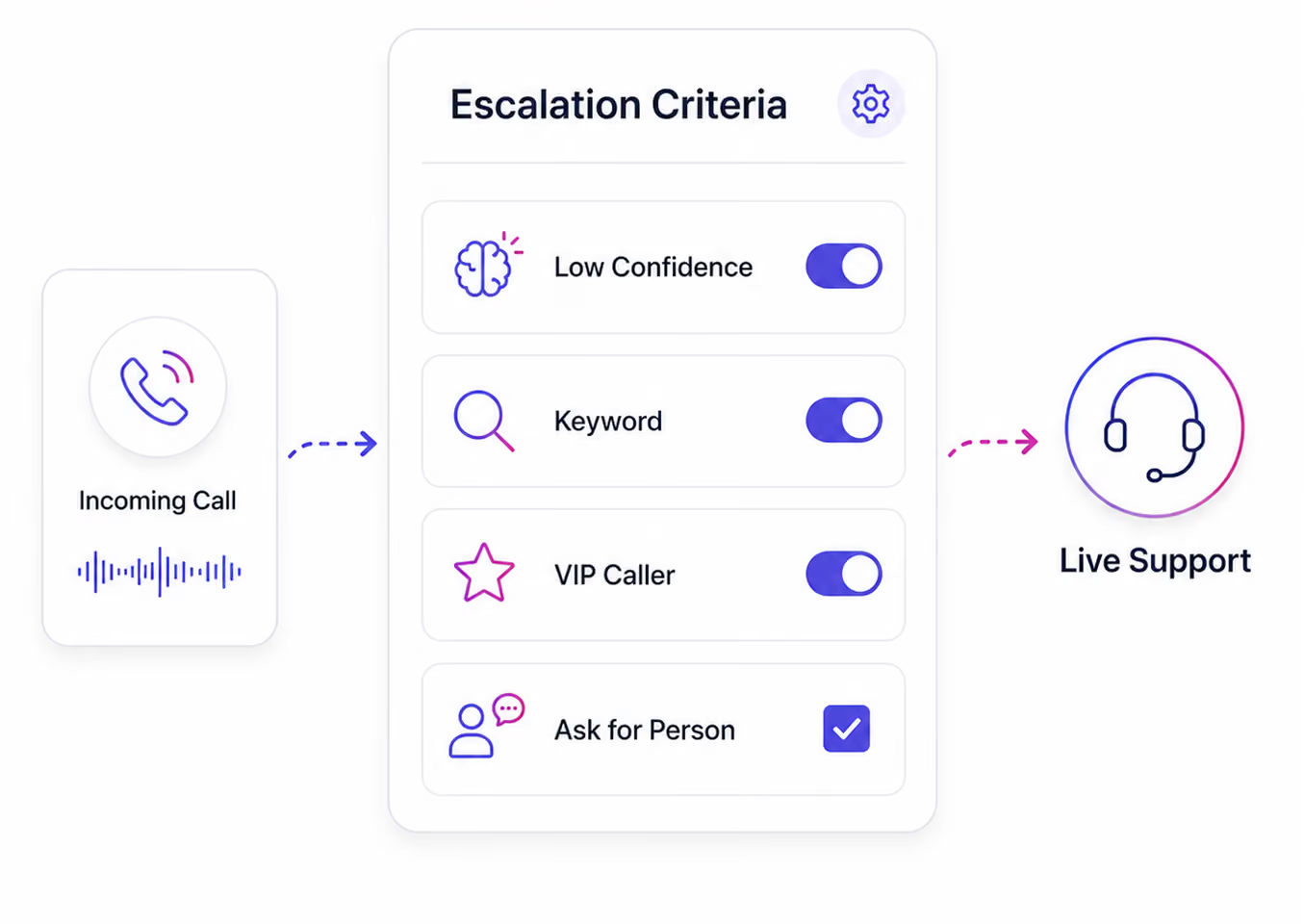
Based on your routing rules, the call completes with AI handling, routes to a team member with full context, triggers an intake flow, books an appointment, or escalates to a live agent. The outcome is defined by your configuration.
.avif)
Everything Is Logged Automatically
The moment the call ends, your dashboard has the full record: transcript, audio recording, AI-generated summary, call outcome, caller details, and any appointments or intake captured. Your contact database is updated. Your team receives a notification if configured.
Learn more →.avif)
Hear an AI Voice Agent Handle a Real Inbound Call
These are real examples of how AI Answering sounds when a call comes in. Natural, professional, and built around your business.
What Your AI Agent Handles on Every Inbound Call
Your AI agent is trained on your business. It handles each call based on the rules and flows you configure, consistently, at any hour.
Answering
Every call is answered, weekdays, weekends, public holidays, and after-hours. No voicemail defaults. No busy signals. Multiple simultaneous calls are handled without hold times.
and Script
Your AI agent delivers your exact greeting on every call. Call scripts are configured per business and per call type, not a generic script applied to every caller.
and Routing
The AI identifies why the caller is calling and routes the call immediately based on your configured rules by caller type, urgency, time of day, or any combination of criteria you define.
Information Capture
Caller details and structured intake fields are collected during the call, not after. What gets captured is determined by the intake flow you configure.
Handling
Common questions are handled by the AI without requiring escalation to your team. FAQ responses are configured per your business.
Support
English and Spanish are currently supported. Your AI agent handles both languages through the same call flow, with no separate workflow required. Additional languages are planned.
Records
Every call generates a complete transcript, audio recording, and AI-generated summary, visible in your dashboard in real time.
What Happens to Calls Your Business Can't Answer
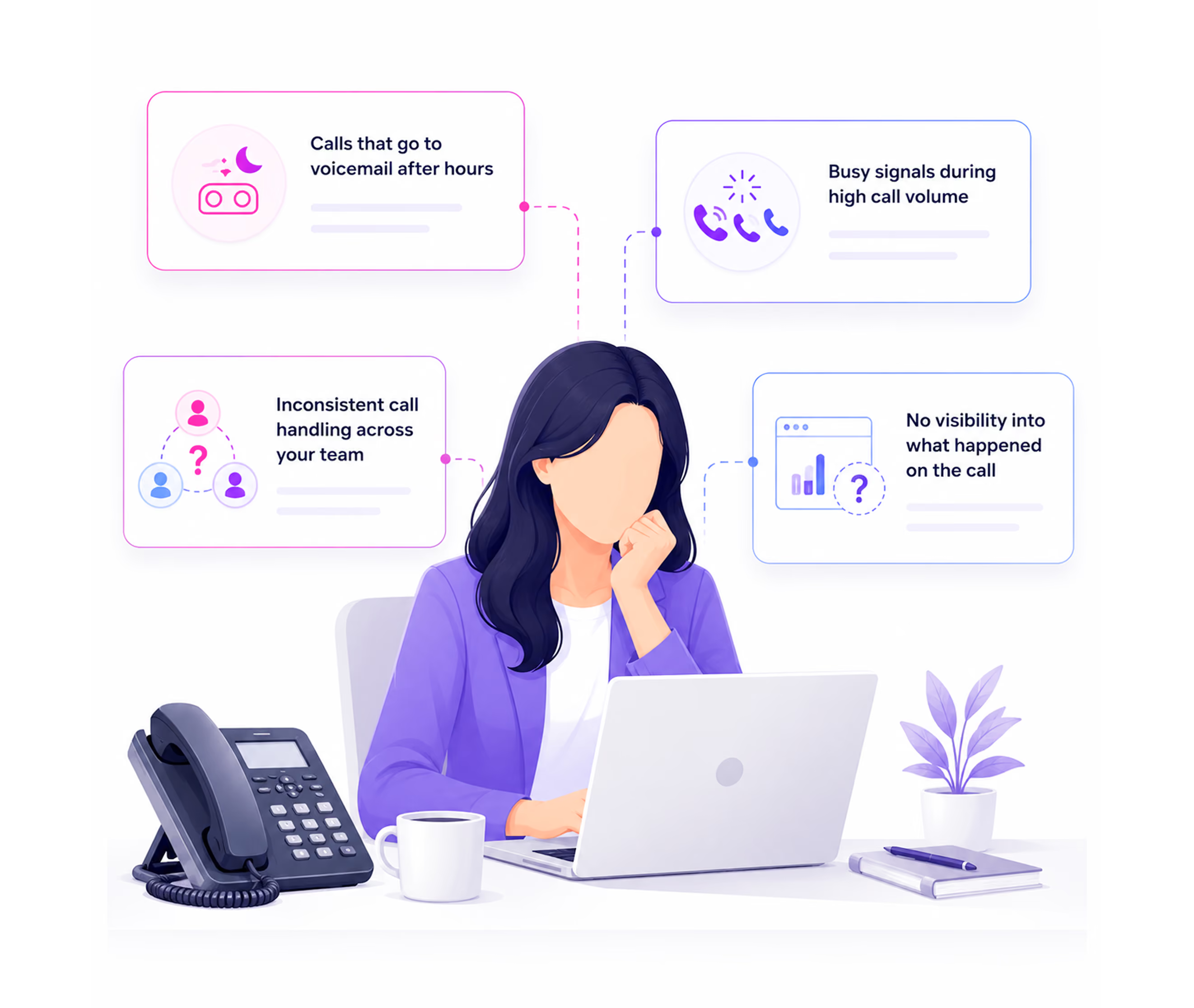
For most practices and service businesses, inbound call handling breaks down the same way. Not all at once. One missed call at a time.
If this sounds familiar, the problem isn't your team, it's the system they're working without.
You Control How Every Call Is Handled
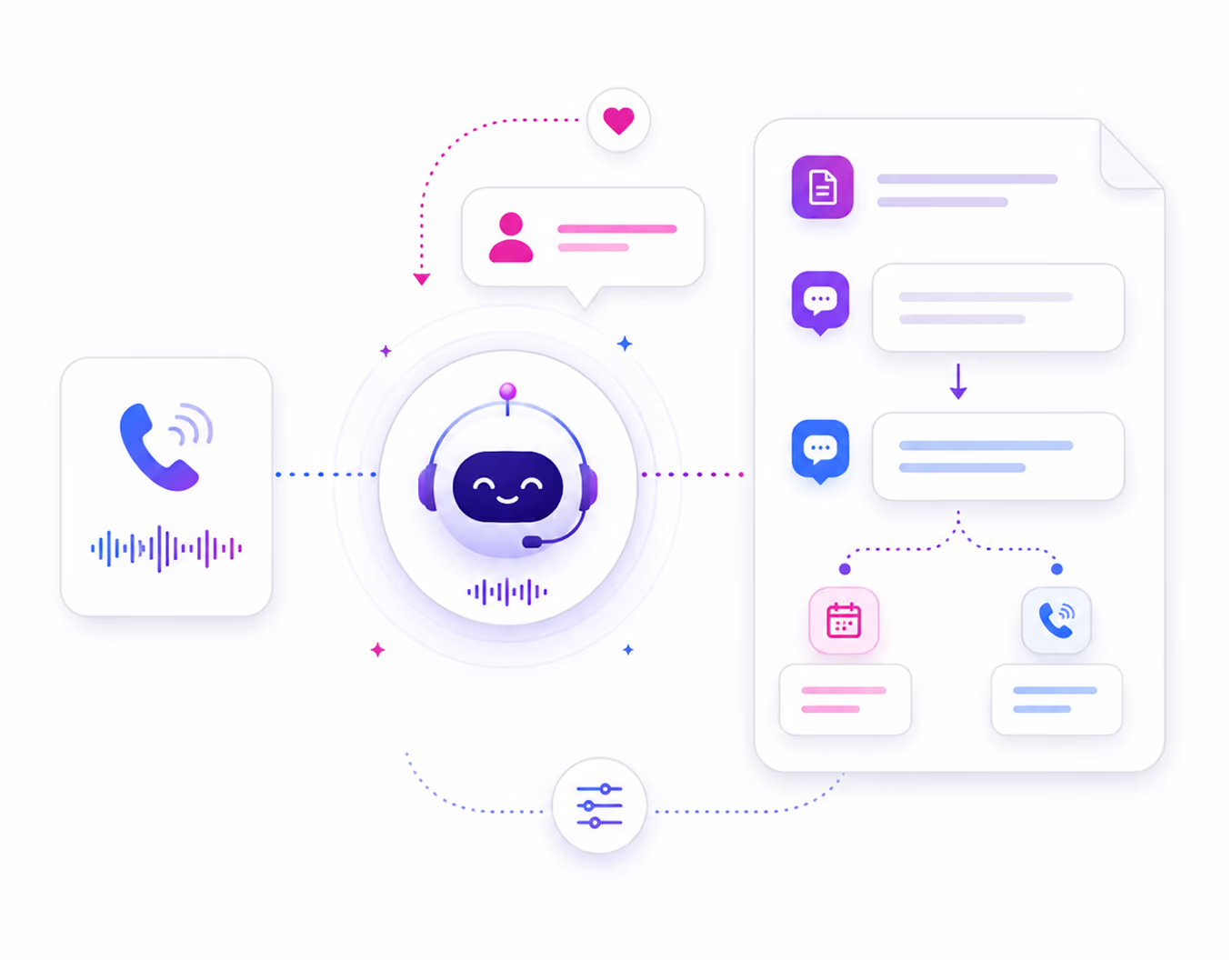
AI Answering is not a one-size-fits-all phone bot. Every setting that governs how your AI agent handles inbound calls is configured by you, from your dashboard.
.avif)
.avif)
.avif)
.avif)
Built for Businesses That Can't Afford to Miss a Call
AI Answering's inbound calling is designed for practices and service businesses where a missed call is a missed client, not just a missed conversation.
Healthcare
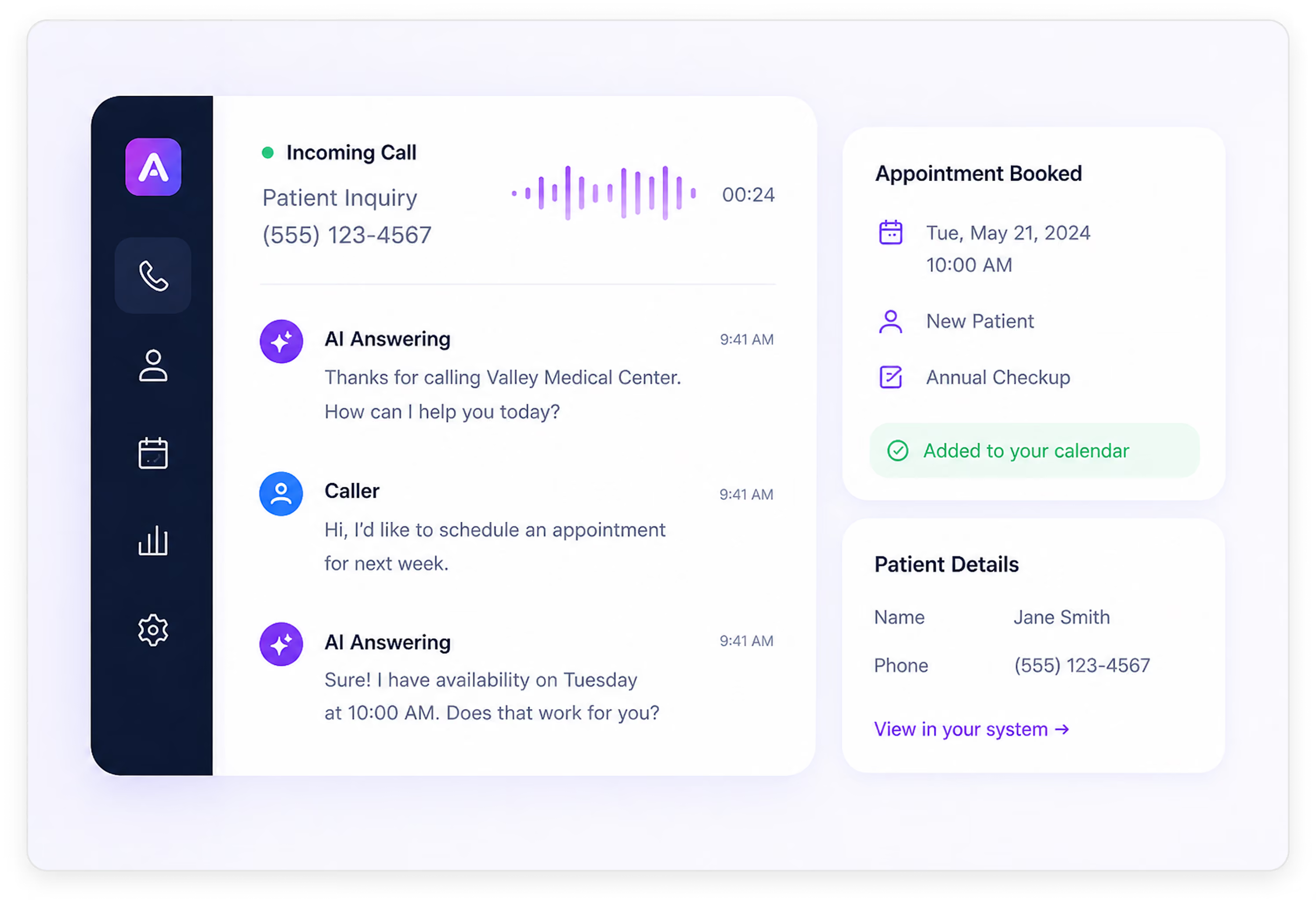
Patient calls are answered 24/7. Appointment requests handled during the call, insurance information collected, and after-hours calls routed with the same professional consistency as business hours, all on HIPAA-compliant infrastructure.
.avif)
Home Services
Job inquiries answered instantly. Service type, location, and urgency captured on the first call. No lead lost to a busy signal or a missed call during high-volume periods.
.avif)
Law Firms
Every potential client call is answered and qualified before an attorney is involved. Intake collected, consultations booked, and urgent matters escalated immediately, regardless of when they called.
.avif)
Full Visibility Into Every Call, Without Being on Every Call
Your dashboard gives you a complete record of every inbound call the moment it ends. No end-of-day reports. No chasing your team for notes.
Search and filter inbound calls by caller name, phone number, date, urgency, status, or keyword. Track every call and outcome.
Open any call to view the AI summary, searchable transcript, recording, outcome, and actions taken, including intake, booking, or escalation.
Monitor call volume, escalation rate, booked appointments, and average handle time, updated live.
Trusted by Businesses That Can't Afford to Miss a Call

Every Missed Call Is a Lead That Didn't Convert. Let's Fix That.
See how AI Answering handles inbound calls in a live demo. Watch it answer, route, and log a real call, end to end or start with one month free.