
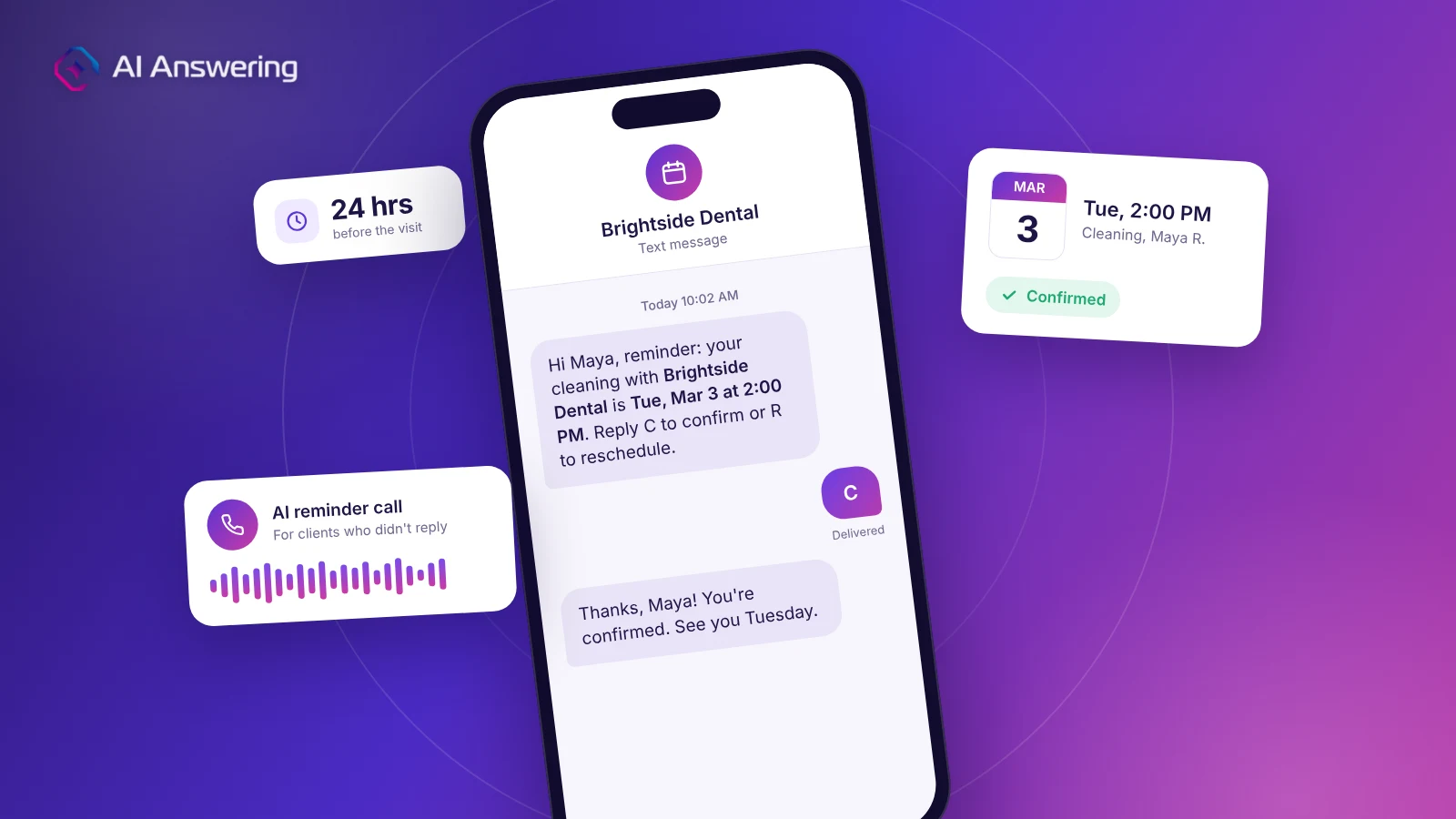
An appointment reminder text is a short SMS that tells a client what they booked, when and where, and how to confirm or reschedule. Sent 24 to 48 hours ahead, it is one of the cheapest ways to reduce no-shows. A 2013 Cochrane systematic review of text message reminders found attendance rose from 67.8% with no reminder to 78.6% with a text.
The template is only half the work, though. Clients ignore texts, reply with questions, or ask to move the time. This guide gives you 25+ copy-paste appointment reminder texts, confirmation messages, and phone scripts. It also covers the send schedule and what to do with every reply.
What to include in an appointment reminder text
A good appointment reminder message answers the client's next question before they have to ask it. Keep it under 160 characters when you can, so it arrives as one message.
Every reminder text should include:
- Your business name at the start, so the client knows who is texting.
- The client's first name, which makes it feel personal and confirms the right recipient.
- The day, date, and time, written in full: "Tue, Mar 3 at 2:00 PM", not "tomorrow at 2".
- The location or meeting link, plus parking or entry notes if they matter.
- One clear action, such as "Reply C to confirm or R to reschedule."
- A way to opt out, such as "Reply STOP to opt out", at least in the first message.
Add prep instructions, forms, or a cancellation policy only when the appointment needs them. If you have more than one line of extra detail, send it by email and keep the text short.
Best practices for sending appointment reminder texts
Send the main reminder 24 to 48 hours before the appointment, with a confirmation at booking and a same-day nudge. A sequence beats a single text because each touchpoint gives the client another chance to confirm or free up the slot. Most appointment-based businesses do well with three to four messages.
The 24-hour reminder does most of the work. It is close enough to be top of mind and far enough out to fill the slot if the client cancels. A few more habits make every reminder work harder:
- Send during business hours. Aim for roughly 9 AM to 7 PM in the client's time zone.
- Text from a number clients recognize. Use your main business line or a number you also list on your site, so the text doesn't look like spam.
- Keep reply codes the same in every message. If C means confirm once, it should mean confirm every time.
- Make it two-way. Let clients reply with questions, and make sure someone (or an AI agent) answers them.
- Sync confirmations with your calendar. Mark confirmed and rescheduled slots right away so open times can go to your waitlist.
- Track your no-show rate. Compare it before and after you start, then adjust timing or wording.
Appointment confirmation text templates
An appointment confirmation text goes out right after booking. It locks in the details and gives the client an easy way to fix mistakes before they become no-shows. Use these appointment confirmation text templates as a starting point.
1. Standard booking confirmation
Hi [Name], you're booked with [Business] for [Service] on [Day, Date] at [Time]. Location: [Address]. Need to change it? Reply R or call [Phone]. Reply STOP to opt out.
2. Confirmation with a request to reply
Hi [Name], this is [Business]. Please reply C to confirm your [Service] on [Day, Date] at [Time], or R to reschedule.
3. Confirmation with prep or forms
You're all set, [Name]! [Service] with [Staff Name] is on [Day, Date] at [Time]. Please complete your forms before you arrive: [Link]
4. Virtual appointment confirmation
Hi [Name], your video appointment with [Business] is confirmed for [Day, Date] at [Time]. Join here at that time: [Link]. Reply R to reschedule.
Appointment reminder text templates
These appointment reminder text templates follow the send schedule above. Swap in your details and keep the reply options consistent across every message, so clients learn them.
5. Early reminder (5 to 7 days out)
Hi [Name], a heads-up from [Business]: your [Service] is next [Day], [Date] at [Time]. If that no longer works, reply R and we'll find a new time.
6. Main reminder (24 to 48 hours out)
Hi [Name], reminder: [Service] with [Business] is tomorrow, [Day, Date] at [Time]. Reply C to confirm or R to reschedule.
7. Same-day reminder
See you today at [Time], [Name]! We're at [Address]. Running late? Just reply here and let us know.
8. Reminder with a cancellation policy
Hi [Name], your appointment at [Business] is [Day, Date] at [Time]. Please give 24 hours' notice to cancel or reschedule to avoid a [Fee] fee. Reply C to confirm.
9. Reminder with prep instructions
Hi [Name], your [Service] is tomorrow, [Day, Date] at [Time]. Before you come in: [Instruction 1] and [Instruction 2]. Questions? Call [Phone].
10. Reminder with documents to bring
Reminder from [Business]: your appointment is [Day, Date] at [Time]. Please bring [Document 1] and [Document 2]. Reply C to confirm.
11. Unconfirmed appointment nudge
Hi [Name], we haven't heard back about [Day] at [Time]. Please reply C to keep your spot, or R to pick a new time. Unconfirmed slots may be offered to our waitlist.
Reminder text templates by industry
The same structure works in every field, but the details change. Here are two templates each for five of the most appointment-heavy industries.
Medical and dental practices
Keep health details out of the text. A reminder needs the practice, date, and time, not the reason for the visit. That keeps the message safe if someone else sees the phone. See the compliance section below for safe wording.
12. Patient reminder
Hi [First Name], this is [Practice Name] reminding you of your appointment on [Day, Date] at [Time]. Reply C to confirm or call [Phone] to reschedule.
13. Recall reminder
Hi [First Name], it's time to schedule your next visit with [Practice Name]. Call [Phone] or book here: [Link].
Law firms
Consultations are high-value slots, and a no-show often means a lost case. Name the attorney and the format, but never the legal matter. Firms that use legal answering services can route reschedule calls straight back into intake.
14. Consultation reminder
Hi [Name], this is [Firm Name] confirming your consultation with [Attorney] on [Day, Date] at [Time], [in person at Address / by phone]. Reply C to confirm or R to reschedule.
15. Document reminder
Hi [Name], before your meeting with [Attorney] on [Date], please upload any documents you mentioned here: [Link]. Questions? Call [Phone].
Home services
Home service visits run on arrival windows, not exact times. Say who is coming and what the client needs to do.
16. Service window reminder
Hi [Name], [Company] is scheduled for [Service] tomorrow, [Day, Date], between [Time] and [Time]. Please make sure someone 18+ is home and pets are secured. Reply R to reschedule.
17. Technician on the way
Good news, [Name]! [Tech Name] from [Company] is on the way and should arrive in about [X] minutes.
Real estate
Showings involve several people, so a fast reschedule matters more than anywhere else.
18. Showing reminder
Hi [Name], reminder: your showing at [Address] is [Day, Date] at [Time] with [Agent]. Reply C to confirm or R if you need a different time.
19. Listing appointment reminder
Hi [Name], [Agent] from [Brokerage] here. Looking forward to our listing meeting at your home on [Day, Date] at [Time]. Reply R if anything changes.
Salons, spas, and wellness
These businesses lose the most to late arrivals. Add arrival time and a prep note.
20. Service reminder
Hi [Name]! Your [Service] with [Stylist] at [Salon] is [Day, Date] at [Time]. Please arrive 10 minutes early. Reply C to confirm or R to reschedule.
21. Rebooking reminder
Hi [Name], it's been [X] weeks since your last [Service]. Want to book your next one? Choose a time here: [Link]
How to handle replies and no-replies
A reminder only reduces no-shows if someone acts on the reply. Decide ahead of time who answers each type, and how fast.
- "C", "Yes", or a thumbs-up: Mark confirmed in your calendar; no reply needed.
- "R" or "Can I move it?": Offer two specific times, or call and rebook on the spot.
- "Running late": Reply with how late you can take them, or offer a new slot.
- A question (parking, price, prep): Answer within business hours, and add the answer to future reminders.
- "STOP": Remove the number from all texts immediately.
- No reply after the main reminder: Call them (see the scripts below), then send one follow-up text.
When a client asks to reschedule, the fastest fix is a quick call where someone books and reschedules appointments during the call. Back-and-forth texting about times is where slots get lost.
22. Follow-up after no reply
Hi [Name], just checking in about your appointment on [Day] at [Time]. Can you reply C to confirm? If plans changed, reply R and we'll help.
23. Slot released after no confirmation
Hi [Name], we couldn't confirm your [Day] at [Time] appointment, so we've released the slot. Call [Phone] or book here to get back on the schedule: [Link]
Appointment reminder scripts for phone calls
Some clients never read texts from unknown numbers. Others need to talk before they commit. Use these appointment reminder scripts for live calls, voicemail, and automated reminder calls.
24. Live reminder call
"Hi, may I speak with [Name]? This is [Your Name] from [Business]. I'm calling to confirm your [Service] on [Day, Date] at [Time]. Does that still work for you?"
If yes: "Great, we'll see you then. We're at [Address]."
If no: "No problem. I have [Time Option 1] or [Time Option 2]. Would either of those work?"
25. Voicemail script (HIPAA-safe)
"Hi, this is [Business] calling for [First Name] about an upcoming appointment. Please call us back at [Phone] to confirm. Again, that's [Phone]. Thank you."
This version names no service or reason for the visit. HHS guidance on leaving appointment messages allows providers to leave reminders on voicemail or with a family member, but says to limit what the message discloses.
26. AI reminder call script
An AI voice agent can place reminder calls on a schedule, then confirm or rebook during the call. Write the script so the agent can branch on the answer:
"Hi, this is [Agent Name], an assistant calling for [Business]. I'm calling to confirm your appointment on [Day, Date] at [Time]. Will you still be able to make it?"
If yes: "Thank you, you're confirmed. Is there anything you'd like to ask before your visit?"
If no: "I can help you pick a new time now. Would mornings or afternoons work better this week?"
If they want a person: "Of course, let me connect you with our team.".
Text or call: which reduces no-shows more?
Both work, and they work about equally well. The 2013 Cochrane review pooled randomized trials of healthcare appointment reminders and found:
- No reminder: 67.8% attendance
- Text message reminder: 78.6% attendance
- Phone call reminder: 80.3% attendance
Source: Mobile phone messaging reminders for attendance at healthcare appointments, Cochrane Database of Systematic Reviews, 2013.
The same review found two studies where texts cost 55% to 65% less per attended appointment than calls. The practical takeaway: text everyone first, because it is cheap and fast. Then call the clients who don't confirm, because those are your likely no-shows. Automating the calls removes the cost gap that used to make this impractical.
Compliance checklist for reminder texts and calls
Reminder messages are informational, but they still carry rules. This is general guidance, not legal advice, so confirm details with your counsel.
- Get consent. Collect the client's mobile number and permission to text at booking.
- Offer an opt-out. Include "Reply STOP to opt out" in at least the first message and honor it right away. Opt-out handling is a core part of the CTIA messaging guidelines that carriers follow.
- Keep reminders informational. Adding promotions to a reminder can turn it into a marketing text with stricter consent rules. Under FCC rules on automated calls and texts, autodialed calls and texts to mobile phones generally need prior consent.
- Limit health details. Medical and dental offices should leave out diagnoses and visit reasons, and work with a HIPAA-compliant answering service that signs a BAA.
- Respect the clock. Send texts and place calls only during reasonable local hours.
Common appointment reminder mistakes
Most reminder problems come from a few small habits. Fix these five and your reminders will do more of the work.
- Vague dates. "Tomorrow at 2" confuses anyone who reads it after midnight. Write the day and date.
- No clear action. If the client doesn't know how to confirm, they won't.
- Ignoring the replies. An appointment reminder text that gets a reschedule request and no response is worse than no reminder.
- Too many messages. More than four touches per appointment starts to feel like spam.
- Stopping at the text. Clients who don't reply are your highest no-show risk. Call them.
Frequently Asked Questions
Automate the reminder calls with AI Answering
Texts handle most clients. The ones who don't reply are where no-shows happen, and calling them by hand takes hours each week. AI Answering's voice agents place reminder calls on your schedule, confirm or reschedule during the call, and log every outcome. Start a free trial and test reminder calls with real appointments.