
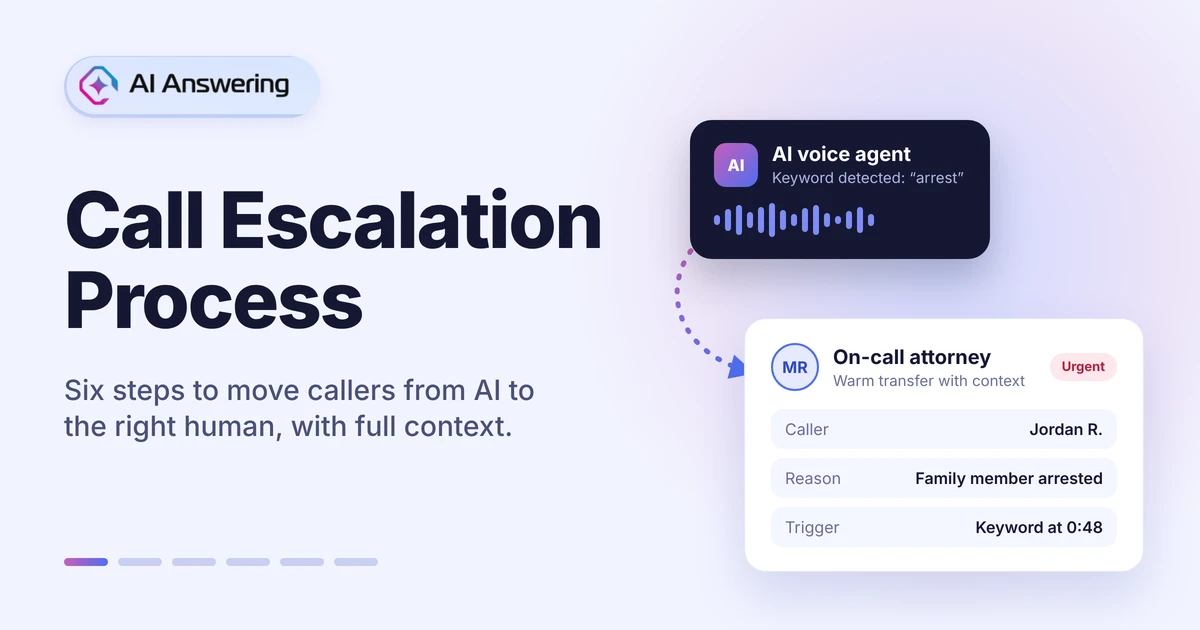
A call escalation process is the set of rules that decides when a call moves from the first responder, whether an AI voice agent or your front desk, to a person with more authority or expertise. It also decides who receives that call and what information travels with it, so the caller never has to start over.
For law firms, medical practices, home service companies and real estate teams, escalation is where trust is won or lost. A routine call can stay with AI from start to finish. A caller who says "arrest," "chest pain" or "water everywhere" cannot.
This guide walks through the six steps of a working call escalation process, a matrix template you can copy, industry examples and the numbers that tell you it is working.
What Is a Call Escalation Process?
Definition: A call escalation process is a documented path that moves a phone call from one level of handling to a higher one when a set condition is met. It defines the trigger, the destination, the transfer method and the context handed over.
An escalation is not the same as a basic call transfer. A transfer only moves the line. An escalation moves the line and the responsibility, along with everything already learned on the call.
In a traditional escalation process in a call center, a Tier 1 agent hands a caller to a supervisor or specialist. When AI answers first, the same logic applies, but the rules have to be written down in advance. The AI cannot use judgment it was never given.
Why a Clear Escalation Process Matters
Every phone line eventually gets a call that needs more than the first responder can give. What happens next decides whether callers trust your business or hang up and call a competitor.
Without written escalation rules, four problems show up again and again:
- Urgent calls never reach a person. The caller signals an emergency, but the flow carries on as normal because no rule tells it otherwise.
- Cold transfers make callers start over. The call moves, the context does not, and the caller repeats their name, number and story. In a May 2026 Avaya survey of U.S. consumers, 70% said it is very or extremely important that a human agent already knows their context when transferred from an AI assistant.
- Sensitive calls stay automated. A distressed caller, a complex legal question or a patient describing symptoms keeps moving through a script that was never built for it.
- Your best clients wait in line. An active client or key account gets the same intake questions as a first-time caller.
Callers also expect a way out. In an August 2026 Gartner survey, 87% of customers said AI-led service must offer a route to a human. They also expect whoever picks up to know what they have already said. More in why callers want a human option.
A clear AI to human handoff process fixes all four problems before they cost you a client.
3 Types of Call Escalation
Most escalation policies use three paths, often in combination. The terms come from IT incident management, where hierarchical, functional and automatic escalation are standard, but they map cleanly onto phone calls.
When AI answers first, almost every escalation starts as automatic: a configured rule fires and the call moves. Hierarchical and functional logic then decide where it lands. Getting those escalation levels right is the job of Steps 1 and 2 below.
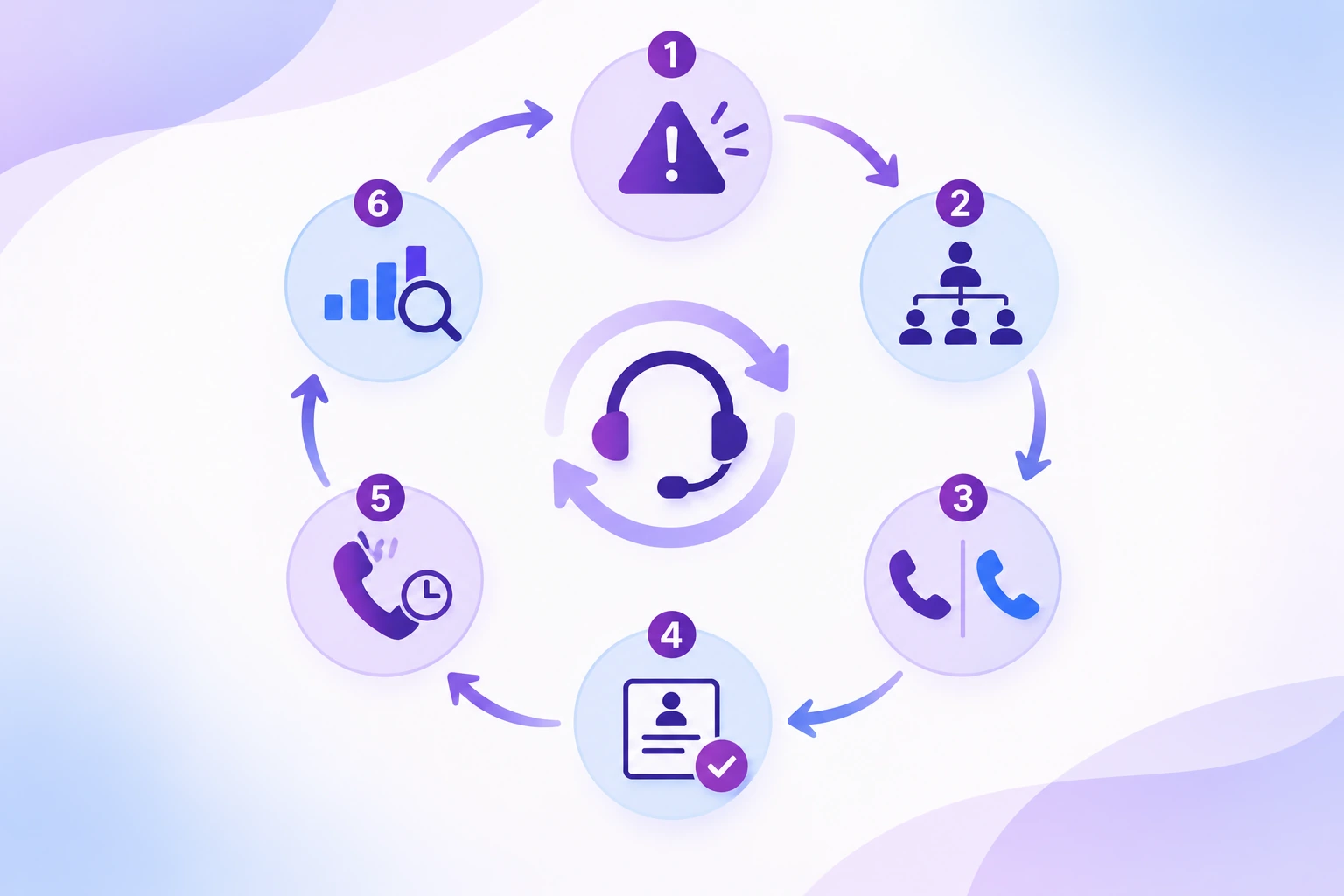
The 6-Step Call Escalation Process
- Set your escalation triggers.
- Assign escalation levels and owners.
- Choose a warm or cold transfer.
- Pass full context at handoff.
- Plan the fallback when nobody answers.
- Log, review and tune every week.
Step 1: Set Your Escalation Triggers
A trigger is the condition that ends the automated part of the call. Define these triggers before you write a single line of the main call flow. In AI Answering's escalation rules, five trigger types are available:
- Confidence threshold: the AI escalates when its confidence drops below a percentage you set.
- Keywords: words such as "emergency," "urgent," "lawsuit," "arrest" or "supervisor" trigger an instant transfer.
- VIP caller: callers flagged by name and phone number skip the standard flow.
- Failed attempts: after a set number of unresolved attempts, the call moves to a person.
- Explicit request: if a caller asks for a human, the AI escalates at once.
Deciding which calls deserve a person is its own question. Our guide on when to escalate to a live agent covers it in depth.
Step 2: Assign Escalation Levels and Owners
Every trigger needs a destination, and every destination needs a named owner and a backup. "The office" is not an owner. "Maria, then the on-call paralegal" is.
Keep levels simple. Most small teams need three: the first responder (AI or front desk), a specialist or coordinator, and a decision-maker such as an attorney, clinician or owner. Map each trigger to one level, then set those destinations in your routing rules and phone numbers.
Step 3: Choose a Warm or Cold Transfer
A cold transfer connects the caller to the next person with no introduction. A warm transfer hands over the caller's details and reason for calling before the person picks up.
- Cold transfer: fastest to connect, but the caller usually repeats their details. Best for simple routing, such as a direct-line request.
- Warm transfer: slightly slower, but the caller never has to start over. Best for urgent, sensitive or high-value calls.
Use a warm transfer for anything urgent, emotional or tied to revenue. The few seconds it adds save minutes of repeated questions.
Step 4: Pass Full Context at Handoff
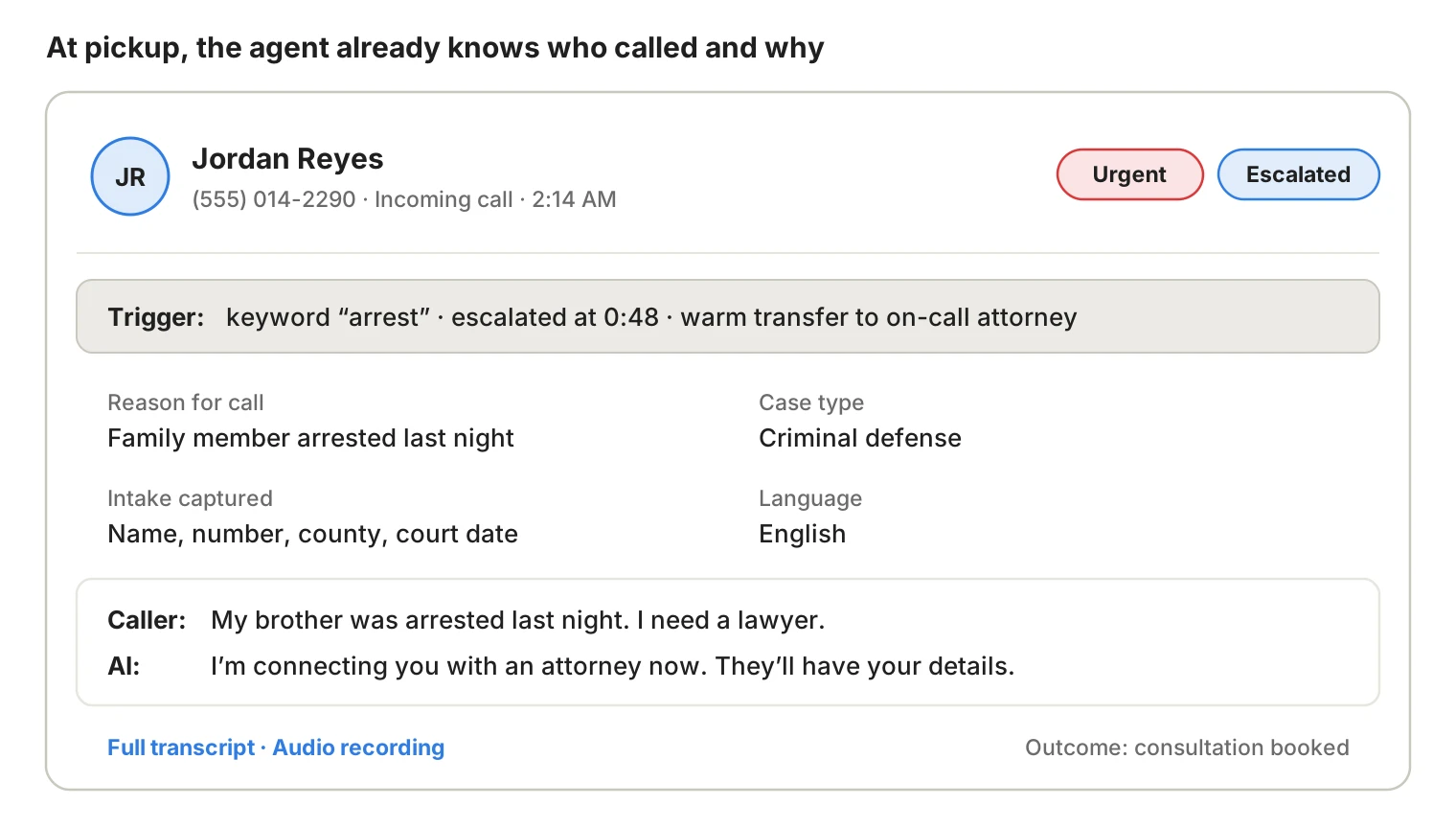
The single biggest failure in AI to human handoff is a reset conversation. When AI Answering escalates a call, the receiving agent gets:
- the caller's name and phone number
- the reason for the call and its urgency level
- intake details already collected, such as case type or service needed
- the point in the call where escalation triggered
If you use trained bilingual live agents rather than your own staff, the same context goes with the call, in English or Spanish.
Step 5: Plan the Fallback When Nobody Answers
An escalation path that rings an empty desk is worse than none. For every destination, decide:
- the ring order if the first owner does not pick up
- what the caller hears, including a realistic callback window
- how the owner is alerted (text, email or both) with the call summary
- what happens after hours, on weekends and on holidays
Never promise a human "right away" if no one is on call. Our guide on how AI handles urgent and emergency calls shows safe fallback wording.
Step 6: Log, Review and Tune Every Week
Treat each escalation as data. Every escalated call should be logged with its trigger reason, transcript and outcome. Review them as a set each week.
If three callers hit the same gap, that is not three bad calls. It is a missing rule, a keyword to add, or a confidence threshold set too high. Adjust, then watch next week's numbers.
Call Escalation Matrix Template
A call escalation matrix puts your whole process on one page: what happens, who handles it and how fast. Copy this template and replace the owners and times with your own.
The Level column uses the three levels from Step 2:
- Level 1, first responder: your AI voice agent or front desk. Every call starts here, so it never appears as a destination.
- Level 2, specialist or coordinator: the person who owns a type of request, such as intake, billing or a bilingual agent.
- Level 3, decision-maker: the attorney, clinician, owner or on-call technician who handles urgent or high-stakes calls.
Read it left to right during setup and top to bottom during your weekly review. Any row with no named owner is a gap to fix before going live.
Escalation Examples by Industry
The six steps stay the same in every industry; only the triggers, owners and VIP rules change.
For medical calls, pass only what the clinician needs to act, in line with the HIPAA minimum necessary standard. See our HIPAA compliance page for details.
Six Ways Callers Get Stuck Between AI and a Human
- Escalating too late. Callers should not fail three times before reaching a person.
- Escalating everything. If every slightly complex call goes to staff, the AI saves no time.
- Using cold transfers for urgent calls. The caller repeats their story at the worst moment.
- Sending every escalation to one person. Billing, legal, clinical and dispatch calls need different owners.
- No after-hours path. An escalation that rings an empty office is a dead end.
- Measuring deflection instead of outcomes. Fewer transfers only matter if callers still get their problem solved.
Frequently Asked Questions
See Escalation in Action
A good call escalation process lets AI handle routine calls while your team takes the moments that need judgment. With AI Answering's escalation rules, you set the triggers, owners and fallbacks, and every handoff arrives with full context.
Start a 1-month free trial, or book a consultation to see the Escalations tab and a live AI-to-human transfer.